Compare Projects
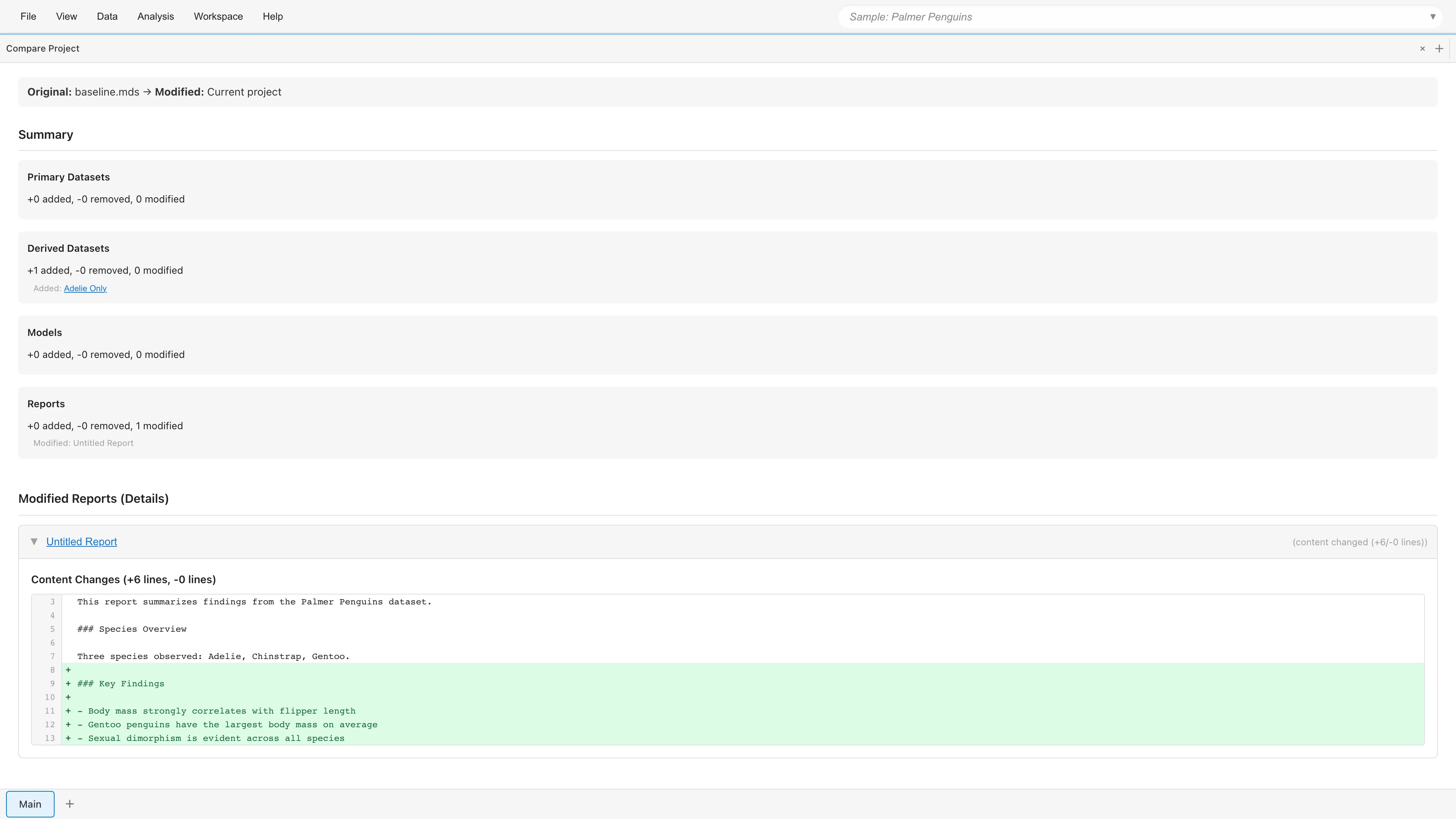
Compare the current project with another MDS file and view the differences.
Opening
- File > Compare with File...
- Search "Compare Project" in the command palette
Usage
- Click Select MDS File to Compare... to select the MDS file to compare against
- Select the comparison direction (see below)
- Review the diff results
Comparison Direction
| Mode | Description |
|---|---|
| File → Current (show what changed) | Show changes from the file to the current state (default) |
| Current → File (show what changed) | Show changes from the current state to the file |
Diff Summary
Counts of Added / Removed / Modified items are shown for each category:
- Primary Datasets
- Derived Datasets
- Models
- Reports
Diff Details
Expand each category to view detailed diff information:
Dataset change details:
- Cell Changes - Changed cell values (row number, column name, old value, new value)
- Rows Added / Deleted - Added or deleted rows
- Schema Changes - Column additions, deletions, renames, and type changes
- Name Changed - Dataset name changes
- Exclusion Changes - Row exclusions and restorations
- Metadata Changes - Metadata changes
- Comment Changes - Comment additions, deletions, and modifications
Report change details:
- Name Changed - Report name changes
- Description Changed - Description changes
- Content Changes - Markdown content diff (added and removed lines)
- Element Changes - Graph/table element additions, deletions, and modifications
- Settings Changes - Report setting changes
See also
- Project Management - Overview of project management features
- Project Overview - View and manage resources
- Project Lineage - Visualize dependencies