Reports
Compile your graphs and analysis results into a single document with Markdown formatting.
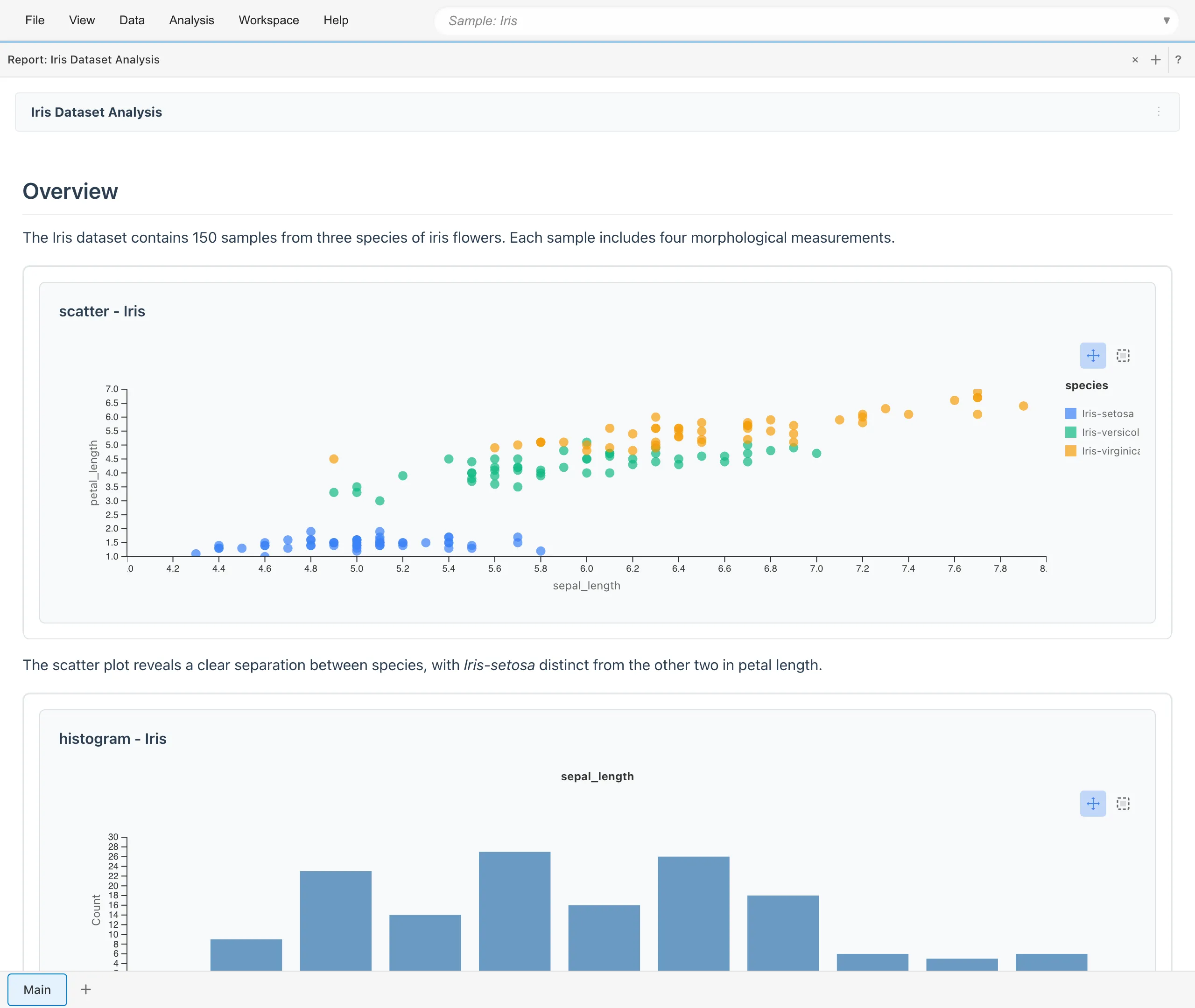
Creating a Report
There are two ways to create a report.
Create a New Report
Click the + button in the tab bar to open the Create New Tab dialog, then select Report. A list appears with Untitled Report at the top, followed by existing reports. Click Untitled Report to create a new report.
Create from Add to Report
Right-click on a graph in the Statistics tab and select + Create New Report from the menu to create a new report containing that graph.
Opening a Report
There are two ways to open an existing report.
- Click the + button in the tab bar to open the Create New Tab dialog, then select Report. The same list used for creating a new report also shows existing reports. Click a report name to open it
- Select Project Overview from the File menu. The Reports section of the Project Overview tab lists every report in the project. Click a report name to open it
Adding to Reports
Add graphs and statistical tables from various tabs to your reports. The way to add depends on the tab.
- Graph Builder: Use the Add to Report button below the preview
- Statistics: Use the ⋮ menu at the right end of each section header, or right-click a graph
- Linear Regression, GLM, and GLMM: After saving the model, use the Add to Report button in the results area
- Data Table: Use Add to Report in the table menu
- Crosstab, ANOVA, survival analysis, PCA, and Model Detail: Use the Add to Report button in the results area
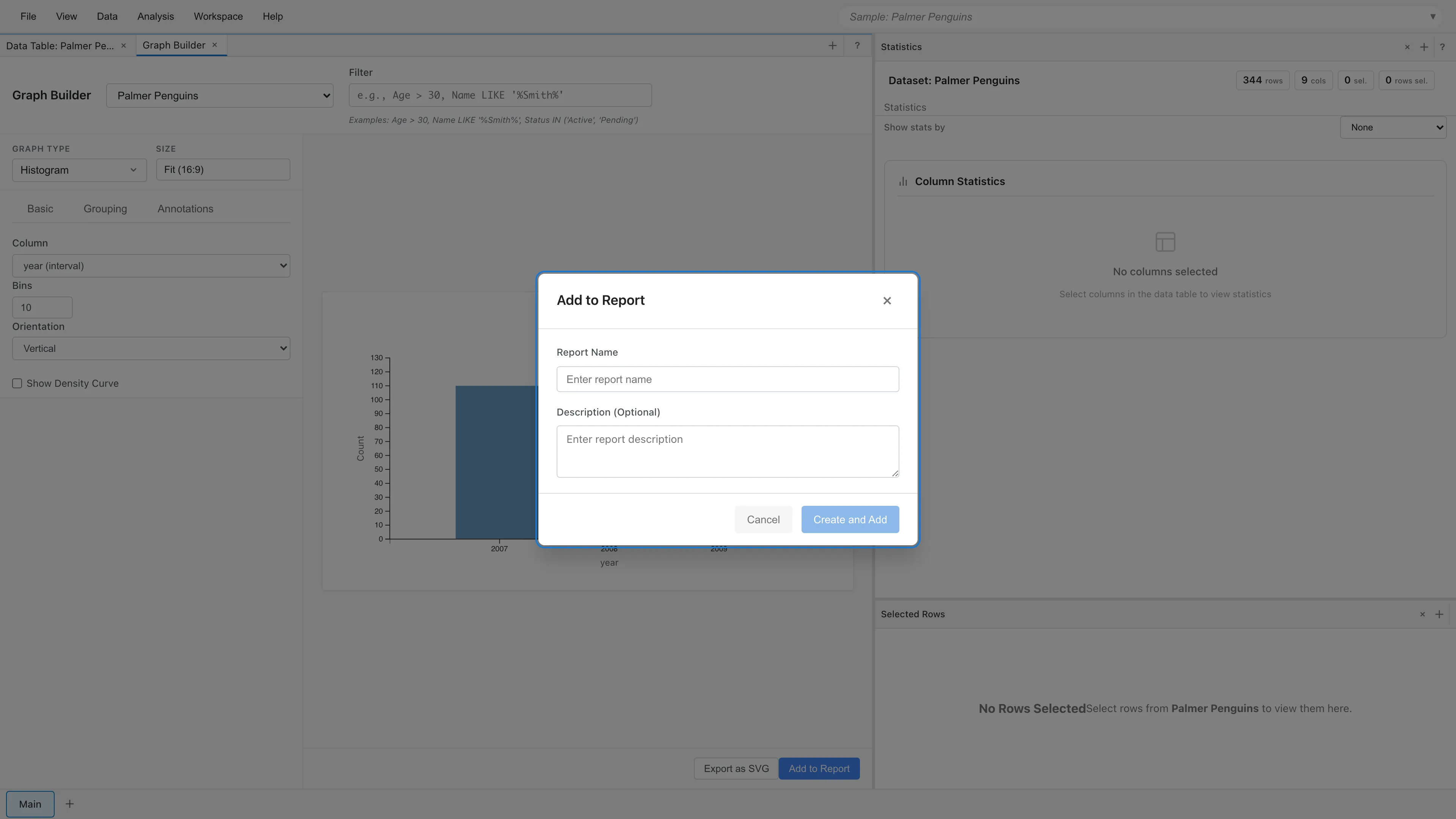
Select an existing report or create a new one from the menu or dialog that appears. Added elements reference the original dataset. When the dataset content changes, such as by editing cells, the display in the report updates automatically. No manual refresh is needed. There is no way to freeze an element at the content it had when it was added. If you need a fixed copy of a graph or table, use the SVG export or PDF saving described in Export.
When adding a Data Table, the dialog lets you choose which columns to display and the maximum number of rows (Maximum Rows to Display). A row number column is automatically added before the selected columns. The default is 100 rows, and you can specify up to 1000. This setting only limits how many rows the Data Table element displays. It does not affect the calculation of statistical tables or other elements.
The display columns and maximum rows of a Data Table can be changed after it is added. Choose View settings in the element menu in edit mode to open the edit dialog. There are two ways to specify the display columns. Selected columns stores a list of chosen columns, and columns added to the dataset later do not appear in the table. All columns always shows every column of the dataset and automatically follows later column additions, renames, and removals. Tables created automatically by Add to Report for a model are added with All columns.
Navigating a Report
In a long report, the Contents button in the report header moves the view to a chosen position. The button lists the headings of the report body in the order they appear, and selecting one scrolls to it. Items are indented according to heading level. The Contents button is hidden for a report with no headings. The report header stays at the top while the body scrolls, so you can move to another position right away. The position you moved to stays in view until you start scrolling, even when a table above it finishes evaluating and changes height.
Headings receive anchors automatically, so Markdown links can point to them. An anchor name is the heading text in lower case, with spaces replaced by hyphens and punctuation removed. For example, ## Model Fit gets the anchor model-fit and ## Model Fit (GLM) gets model-fit-glm. Writing [see the results](#model-fit) creates a link that moves to that heading. When several headings share the same text, the later ones get a numbered anchor such as model-fit-1.
After you add an element with Add to Report, the report scrolls to the added position the next time it is shown. This also applies when the report was closed at the time you added the element: it comes into view when you open the report.
Editing Reports
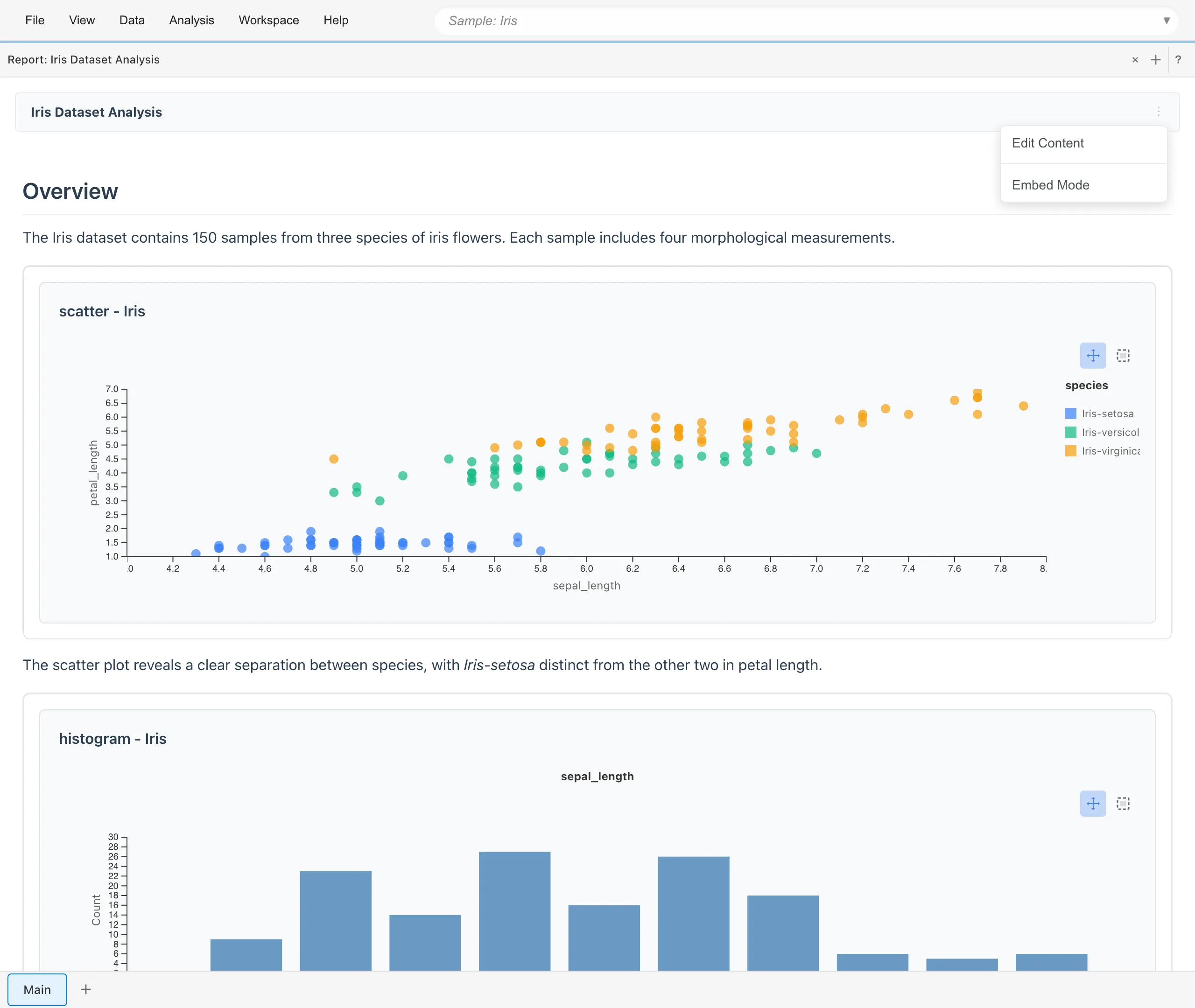
Select Edit Content from the ⋮ menu in the report header to open the editor.
Markdown Editor
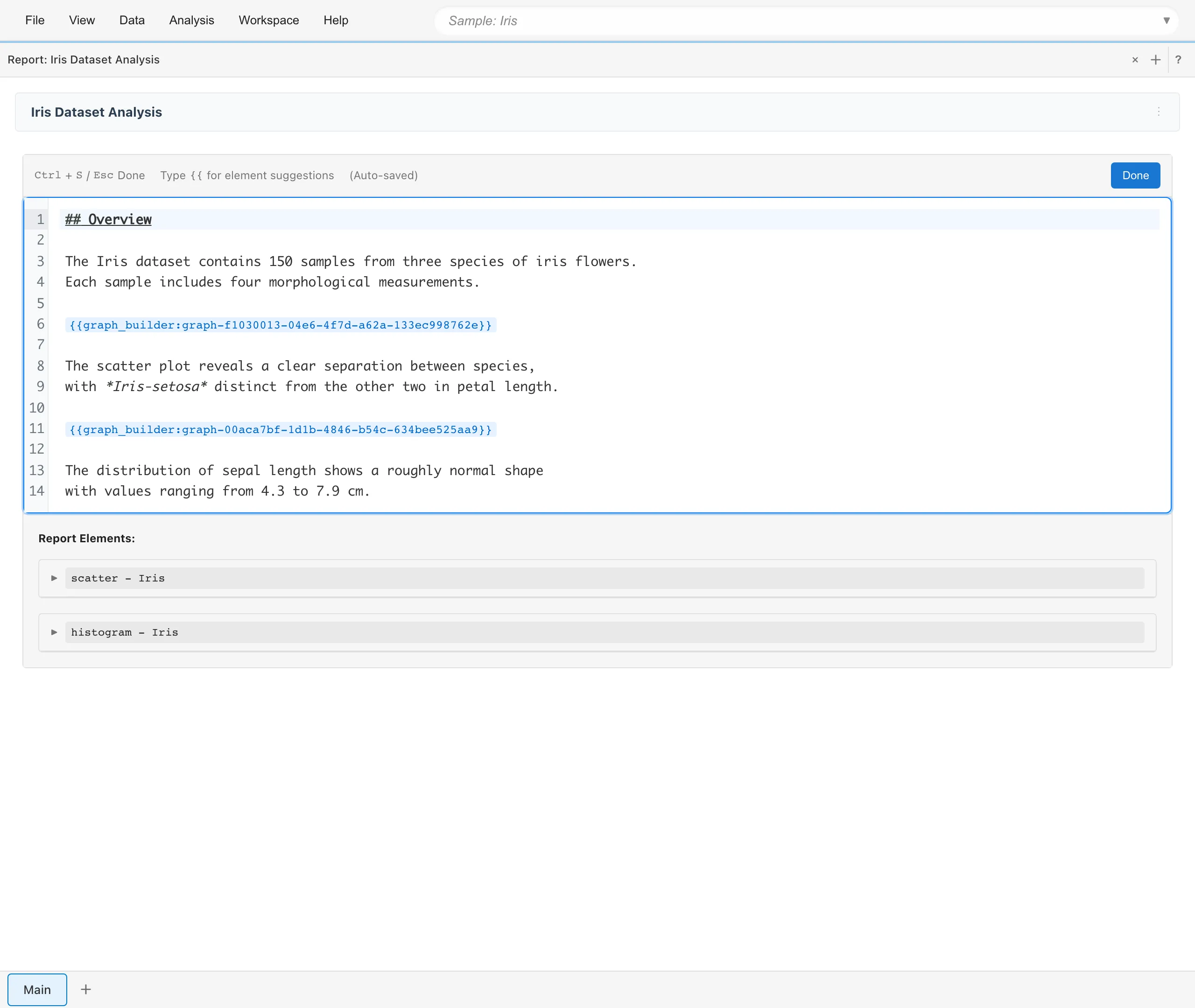
Reports use Markdown format. Embed elements using {{type:id}} syntax. Type {{ for autocomplete suggestions. To display {{ as literal text, write \{{. To display a literal \, write \\. LaTeX math notation is also supported ($...$ for inline, $$...$$ for block). Formulas are rendered with KaTeX. For example, $\bar{x}$ and $\hat{\beta}$ render as the symbols for a sample mean and an estimated coefficient. See KaTeX Supported Functions for the available commands.
Among links to external sites in the body, only URLs with the http or https scheme become links. MIDAS opens these links in a new tab. In a project whose trust level is Unknown, MIDAS disables the links, shows only the link text, and shows a warning above the body that gives the reason. For details, see Opening MDS from Unknown Signers.
Press Cmd/Ctrl+S or Esc to close the editor. Changes are auto-saved as you type to the same in-browser storage as the rest of your project data.
Element Menu
When you open Edit Content, each element appears in the Report Elements list below the editor. Click an element name to copy its reference string to the clipboard for embedding in the text. Each element has a menu (...) with the following options:
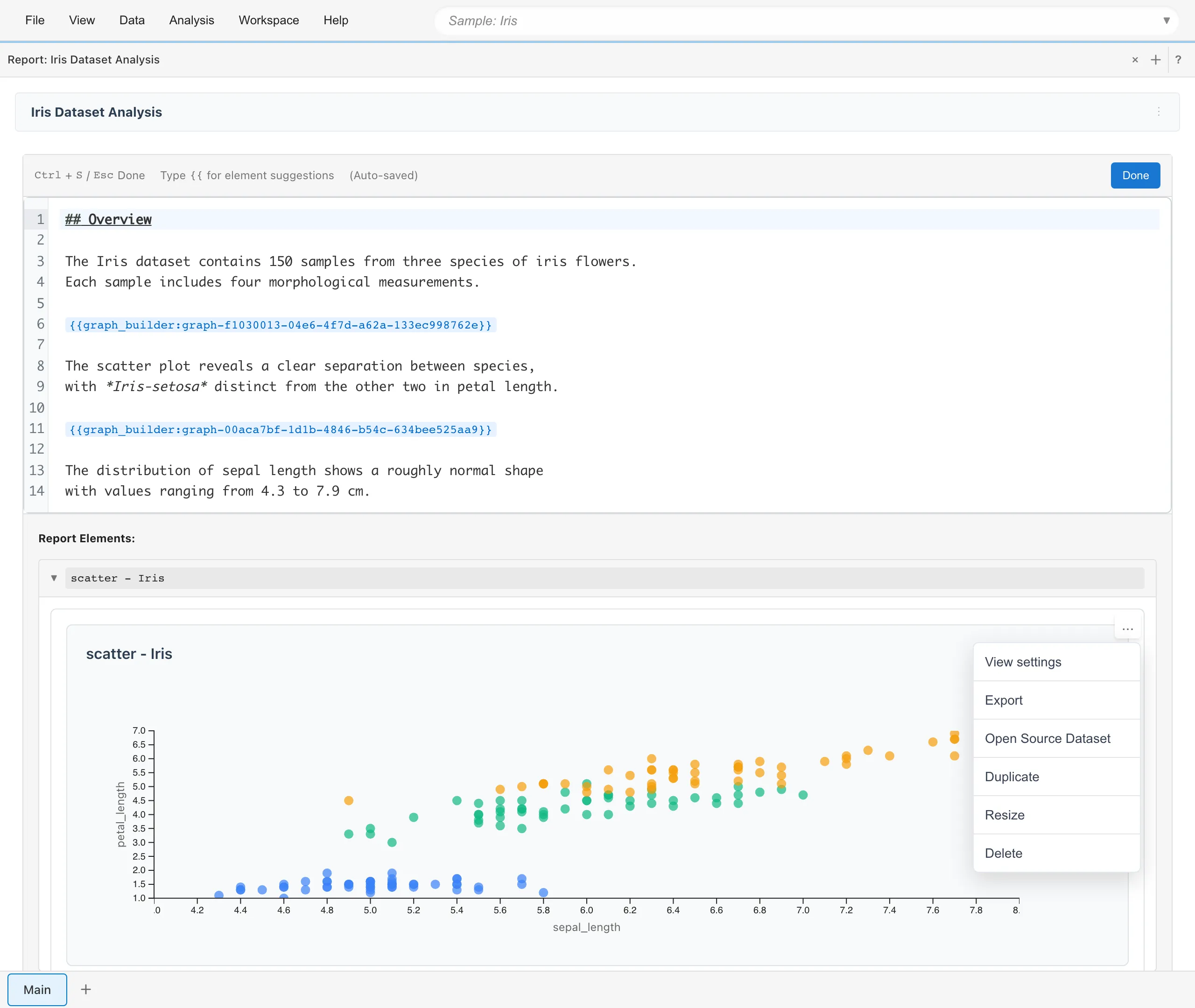
- View settings - View and edit element settings
- Export - Download as SVG (graphs only)
- Open Source Dataset - Open the source dataset
- Duplicate - Create a copy
- Resize - Set alignment, width, aspect ratio, and page-break behavior. For tables, also set how a table wider than the paper is printed
- Delete - Remove from report
Report Header Menu
The ⋮ menu in the report header has three items:
- Edit Content - Open the Markdown editor to edit the report
- Page setup - Set the paper size, orientation, margins, headers, and footers for printing
- Reading View - View the report in read-only mode
Page setup
The Page setup dialog sets the paper size, orientation, and margins for printing, along with a header, a footer, and page numbers printed on every page. The header appears at the top center of the paper, the footer at the bottom center, and page numbers at the bottom right.
The header and footer accept the following tokens:
{title}- the report name{date}- the date of printing{page}- the current page number{pages}- the total number of pages
Chrome and Safari print headers, footers, and page numbers. Firefox does not implement this feature and skips them when printing. Paper size, orientation, and margins work in Firefox as well.
Export
Graphs can be exported as SVG from the element menu. See Export for details.
Statistical tables and data tables cannot be exported individually. Open Source Dataset in the element menu opens the source dataset the element was computed from, before any aggregation. The coefficient table or crosstab shown in the report itself cannot be extracted as CSV. If you need the underlying data, export the opened dataset as CSV. For the numbers in a coefficient table, the Linear Regression and GLM tabs offer Save as Dataset, which saves the table as a dataset you can then export.
Direct export to Word or PDF is not available. To create a PDF, switch to Reading View and use the browser's print function to save as PDF. Set the paper size, orientation, margins, headers, and footers in Page setup.
When printing, graphs are laid out so they are not split across page boundaries. Long tables that span multiple pages break between rows, not in the middle of a row. Use Resize in the element menu to change this behavior per element.
Tables wider than the paper are clipped at the page edge by default. For data tables and crosstabs, Resize offers two other options. Shrink text to fit scales the table down to the paper width, no smaller than the minimum text scale you set; the shrunken size is also shown in the on-screen report view. Print on a landscape page prints the table on its own landscape page; Chrome and Firefox support this, while Safari ignores it and prints the table in the orientation set in Page setup. The header row of a table is repeated at the top of every printed page, and Resize can turn this repetition off.
Reading View
Select Reading View from the ⋮ menu in the report header to view the report in read-only mode. The tab bar and menus are hidden, showing only the report content. Use this view for printing or taking screenshots; see Export for how to create a PDF. To return to the normal view, use the browser's back button.
See also
- The Graph Builder Tab - Create graphs to add to reports
- The Statistics Tab - View statistics to add to reports
Also available as a Markdown file.