The Orthogonal Polynomials Tab
The Orthogonal Polynomials tab generates orthogonal polynomial columns from a numeric column. Here, orthogonal means that the generated columns are mutually orthogonal over the data points: for . With the monomial basis , correlations between columns grow extreme as the degree increases, causing coefficients and fitted values to lose significant digits. Using orthogonal polynomial columns as predictors in Linear Regression reduces the condition number of the design matrix to approximately 1, improving numerical precision.
Basic Usage
Opening Orthogonal Polynomials
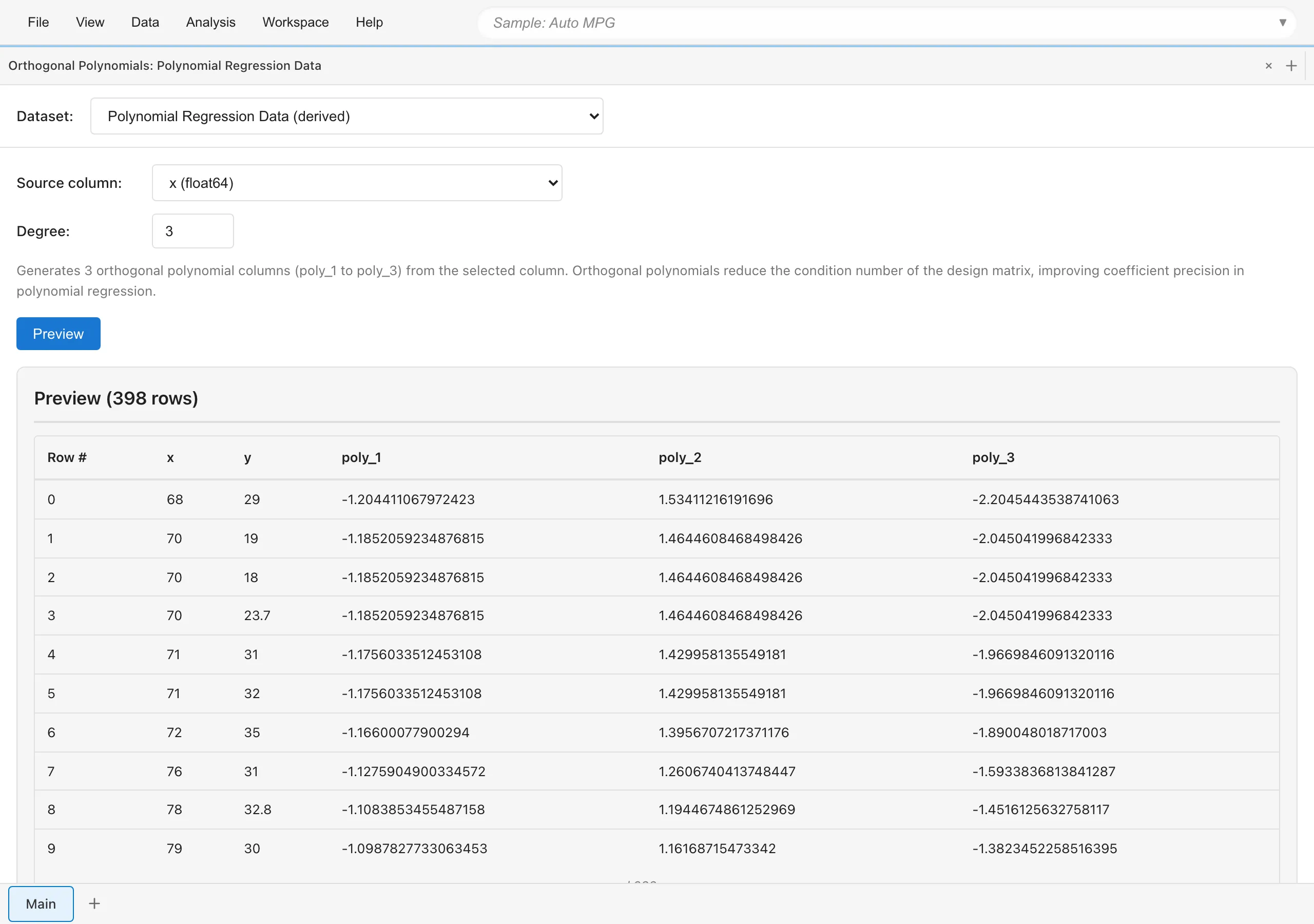
Select Data > Orthogonal Polynomials... from the menu bar to open a new Orthogonal Polynomials tab.
Generating Columns
- Select the target dataset from the Dataset dropdown
- Select the numeric column to transform in Source column
- Set the maximum polynomial degree in Degree (1 to 30). The degree must be less than the number of valid data points in the source column (rows remaining after excluding missing values)
- Click Preview to inspect the result
- Enter a name for the output dataset in Output Name
- Click Save as Dataset
The original dataset is not modified. A new derived dataset is created. Rows whose source column is missing are excluded from the derived dataset. For the remaining rows, all original columns are retained and poly_1, poly_2, ..., poly_{degree} columns are appended. The output dataset may have fewer rows than the original.
Each orthogonal polynomial column is normalized so that the sum of squares of its elements equals the number of valid data points , that is, .
To transform multiple numeric columns into orthogonal polynomials, select the derived dataset you generated from the Dataset dropdown, choose a different Source column, and run again. If columns such as poly_1 already exist, the new columns are named with the source column name appended, such as poly_1_x2.
Polynomial Regression Workflow
To use orthogonal polynomials instead of the monomial basis:
- In the Orthogonal Polynomials tab, generate degree- polynomial columns from the
xcolumn and save the dataset - Open a Linear Regression tab and select the saved derived dataset
- Set
yas the response variable - Set
poly_1,poly_2, ...,poly_das explanatory variables
R², the residual standard error, MAE, fitted values, and prediction intervals are identical to those from regression on the monomial basis. The coefficients are expressed in the orthogonal polynomial basis and differ in both value and interpretation from the monomial basis coefficients. Each poly_j coefficient represents how much the -th orthogonal polynomial component contributes to the response variable. Because the basis is orthogonal, the coefficient estimates are uncorrelated with each other, and adding higher-degree columns as predictors does not change the lower-degree coefficient estimates. The estimate and confidence interval of the highest-degree poly_d coefficient show the magnitude of the degree- contribution and the precision of its estimate.
To choose the polynomial degree, run regressions with different degrees and compare AIC or Adjusted R² in Linear Regression. AIC favors the model with the smaller value; Adjusted R² favors the larger value. Orthogonal polynomials improve numerical precision but do not prevent overfitting.
Next steps
- Linear Regression - Regression analysis with orthogonal polynomial columns
See also
- Numerical Computing Fundamentals - How condition numbers affect accuracy
- Numerical Accuracy - NIST StRD benchmark accuracy verification
- Dummy Coding - Encoding categorical variables as dummy variables
Also available as a Markdown file.