The Compare Project Tab
Compare the current project with another MDS file (MIDAS project file, extension .mds) and view the differences.
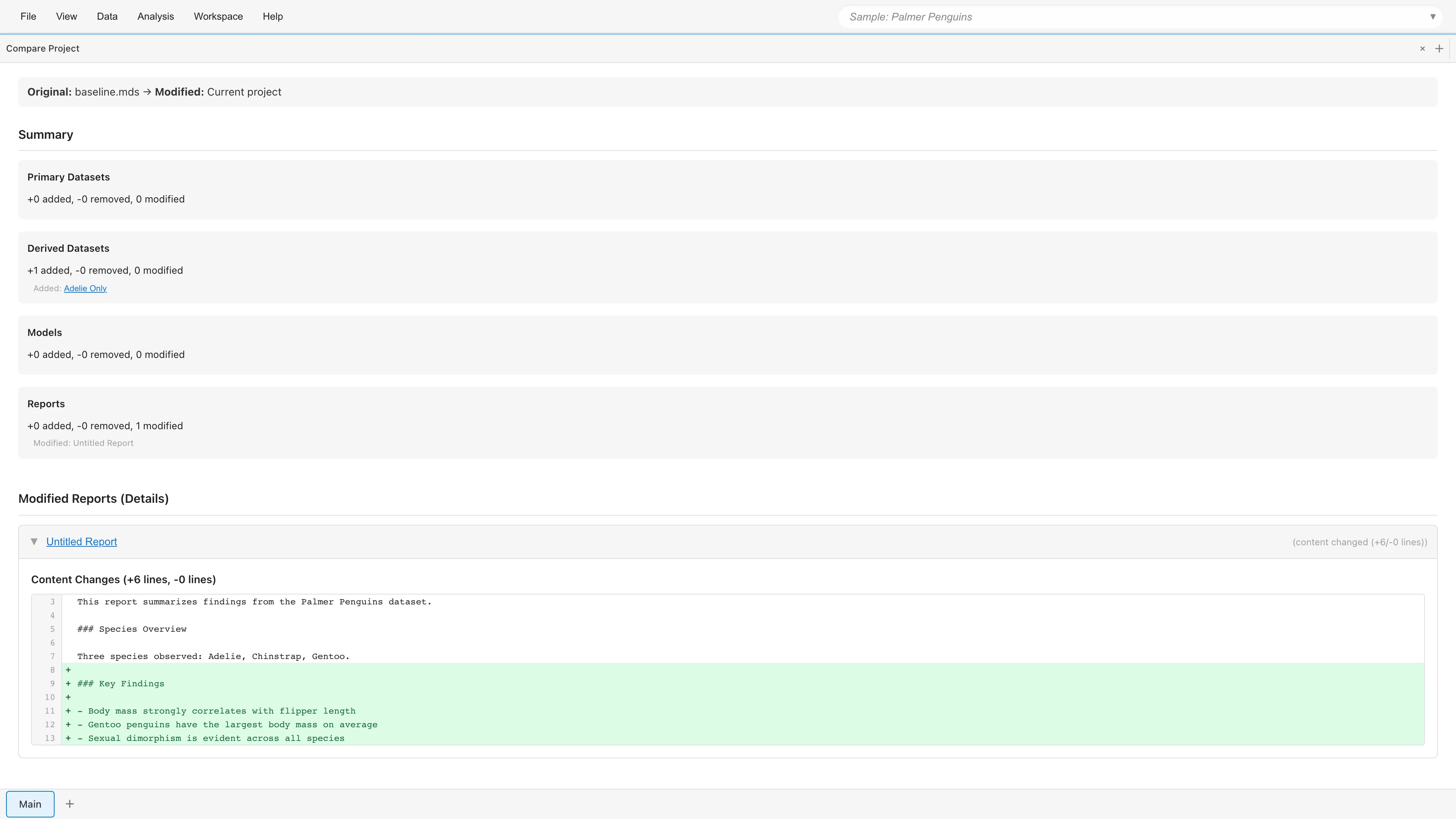
Opening
- File > Compare with File...
- Search "Compare Project" in the command palette
Usage
Export the project you want to compare against as an MDS file beforehand. See Export as File for the steps. Projects saved in the browser cannot be selected directly.
- Click Select MDS File to Compare... to select the MDS file to compare against
- Select the comparison direction (see below)
- Review the diff results
Comparison Direction
| Mode | Description |
|---|---|
| File → Current (show what changed) | Show changes from the file to the current state (default) |
| Current → File (show file changes) | Show changes from the current state to the file |
In File → Current, the selected file is treated as the state before the change and the current project as the state after. Items that exist in the current project but not in the file appear as Added, and items that exist in the file but not in the current project appear as Removed. Current → File reverses this relationship.
Diff Summary
Counts of Added / Removed / Modified items are shown for each category:
- Primary Datasets
- Derived Datasets
- Models
- Reports
Diff Details
Modified primary datasets and reports are listed in the Modified Datasets (Details) and Modified Reports (Details) sections below the summary. Click an item to expand it and view the following details. Derived Datasets and Models have no detail view; the summary shows only counts and a list of the affected items.
Primary dataset change details:
- Cell Changes - Changed cell values (row number, column name, old value, new value). The list shows up to the first 100 changes; beyond that, only the count is shown. The number of detected changes also has an upper limit, and a note appears when it is exceeded
- Rows Added / Deleted - Added or deleted rows
- Schema Changes - Column additions, deletions, renames, type changes, and measurement scale changes
- Name Changed - Dataset name changes
- Exclusion Changes - Rows excluded from analysis and rows restored. Unlike deletion, excluded rows keep their data
- Metadata Changes - Changes to dataset metadata (original file name, description, source URL, source type)
- Comment Changes - Comment additions, deletions, and modifications
Report change details:
- Name Changed - Report name changes
- Description Changed - Description changes
- Content Changes - Markdown content diff (added and removed lines)
- Element Changes - Graph/table element additions, deletions, and modifications
- Settings Changes - Report setting changes
See also
- Project Management - Overview of project management features
- Project Overview - View and manage resources
- Project Lineage - Visualize dependencies
Also available as a Markdown file.